
Crochet
Crochet charts, done by placing symbols
From rounds to flat rows. Pick a symbol, set the count, and the whole round falls into place.
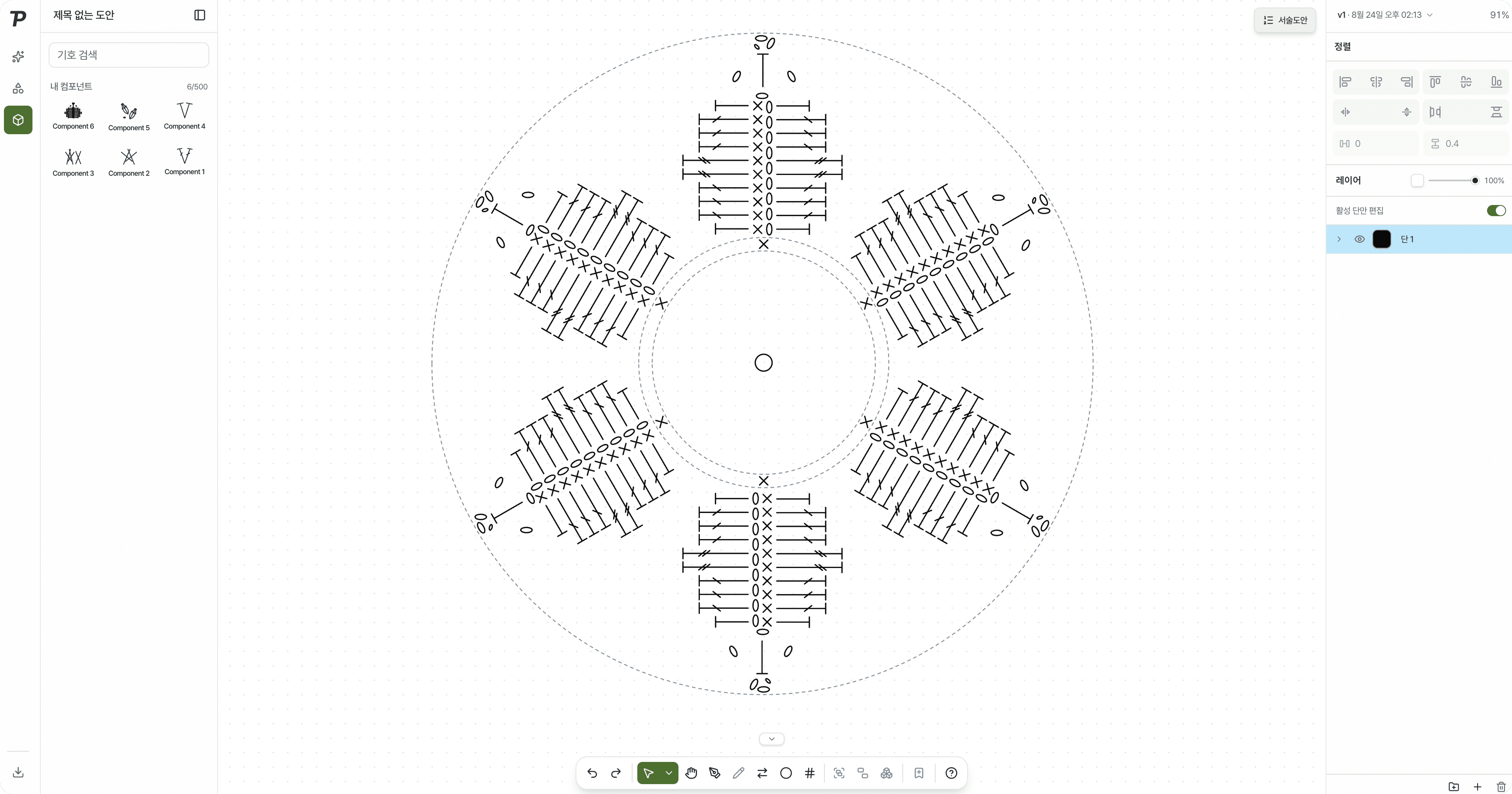
Until now, just drawing a crochet chart was the hard part
“I had to learn Illustrator first”
To draw a handful of symbols, you had to learn a heavy, difficult design program.
“I turned every symbol by hand”
For a round chart, you worked out the angle of each stitch, turned it and spaced it yourself.
“One change meant starting over”
When a stitch count changed, you cleared the round and placed every symbol again.
Pick a symbol, set the count, and the round lays itself out
Pick a symbol and a count, then add a round.
Rounds or rows, no angles to work out
Symbols sit evenly along the guide. Change the count and the whole round lines up again.
Keep each round on its own layer
Show only the round you are working on, and hide or lock the finished ones. Overlapping symbols stay easy to tell apart.
Place symbols and the written pattern follows
Each round is written out with its stitches and counts. Copy it and use it as it is.
Everything else a chart needs
Custom components
Group a motif you use often into a component and reuse it.
Round numbers
Show round numbers beside the chart, and set their interval and spacing.
Import a written pattern
Paste a written pattern you already have and turn it into a symbol chart.
AI assistant
Make or change rounds in words, like “make round 3 24 double crochets”.
Export
Save as JPG, PNG or an Illustrator (AI) file.
Share by link
Send one link, and the reader always sees the latest chart.
From now on, start your crochet patterns with Patterners
Sign up and use Pro features free during the open beta.