Colorwork
Colorwork and filet charts, starting from text or an image
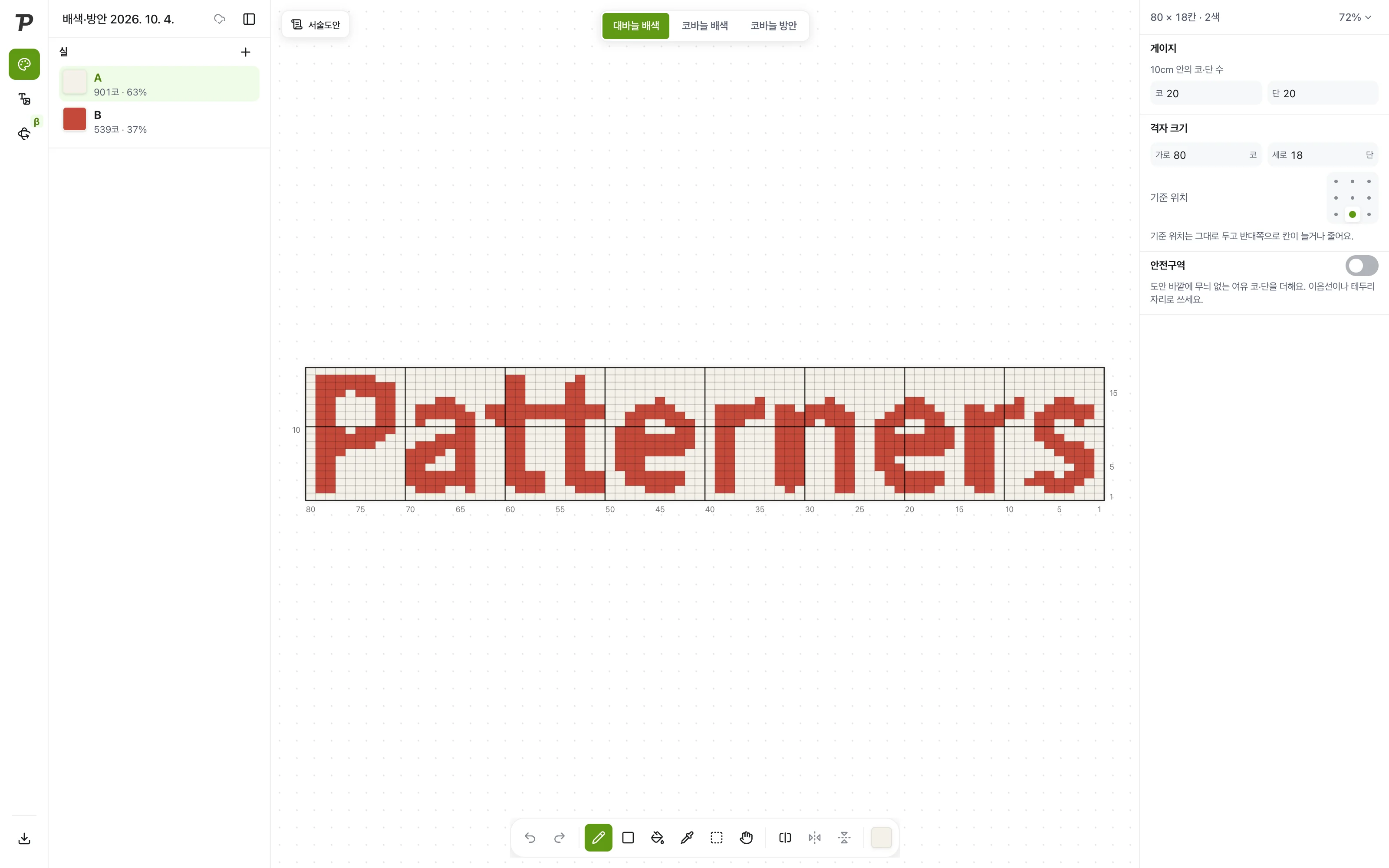
Type text or upload an image and it becomes cells. Pick yarn colors, fix the cells, and finish the chart.
Until now, colorwork charts were filled in one cell at a time
“I colored graph paper by hand”
To turn a picture into cells, you filled graph paper or a spreadsheet one square at a time.
“I counted stitches for every color”
To know how much yarn you needed, you counted the cells of each color one by one.
“I found the problems mid-project”
You only noticed a float that was too long, or a single stitch of a color, once you were knitting.
Type some text and it turns into cells
Yarn color
Type some text and it becomes cells. Click a cell to change it.
Turn text and images into cells
Type text or upload an image, and it becomes a chart with the number of cells and colors you set. You can still fix cells by hand afterwards.
Yarn colors and stitch counts at a glance
Name each yarn and set its color, and the stitches and share per color are counted for you. Choose stranded knitting, tapestry crochet or filet crochet.
Hard spots, flagged ahead
Long floats and single-stitch color runs are marked on the chart, so you can fix them before you start.
Tools made for colorwork and filet
Written rows
The color order of every row, written out for you.
Mirror drawing
Draw one side and the other fills in to match.
Safe zone
Add spare stitches and rows around the motif for seams and borders.
Gauge
Enter stitches and rows per 10 cm so the cells keep the right proportions.
Knit preview
See stranded knitting as fabric before you make it.
Export
Save as a PNG or JPG image, and place it in a Paper.
From now on, start your colorwork charts with Patterners
Sign up and use Pro features free during the open beta.