
Knitting
Knitting charts, just fill in the cells
Over 180 symbols, from cables to decreases. Fill cells or type the rows to build the chart, then see it knitted before you cast on.
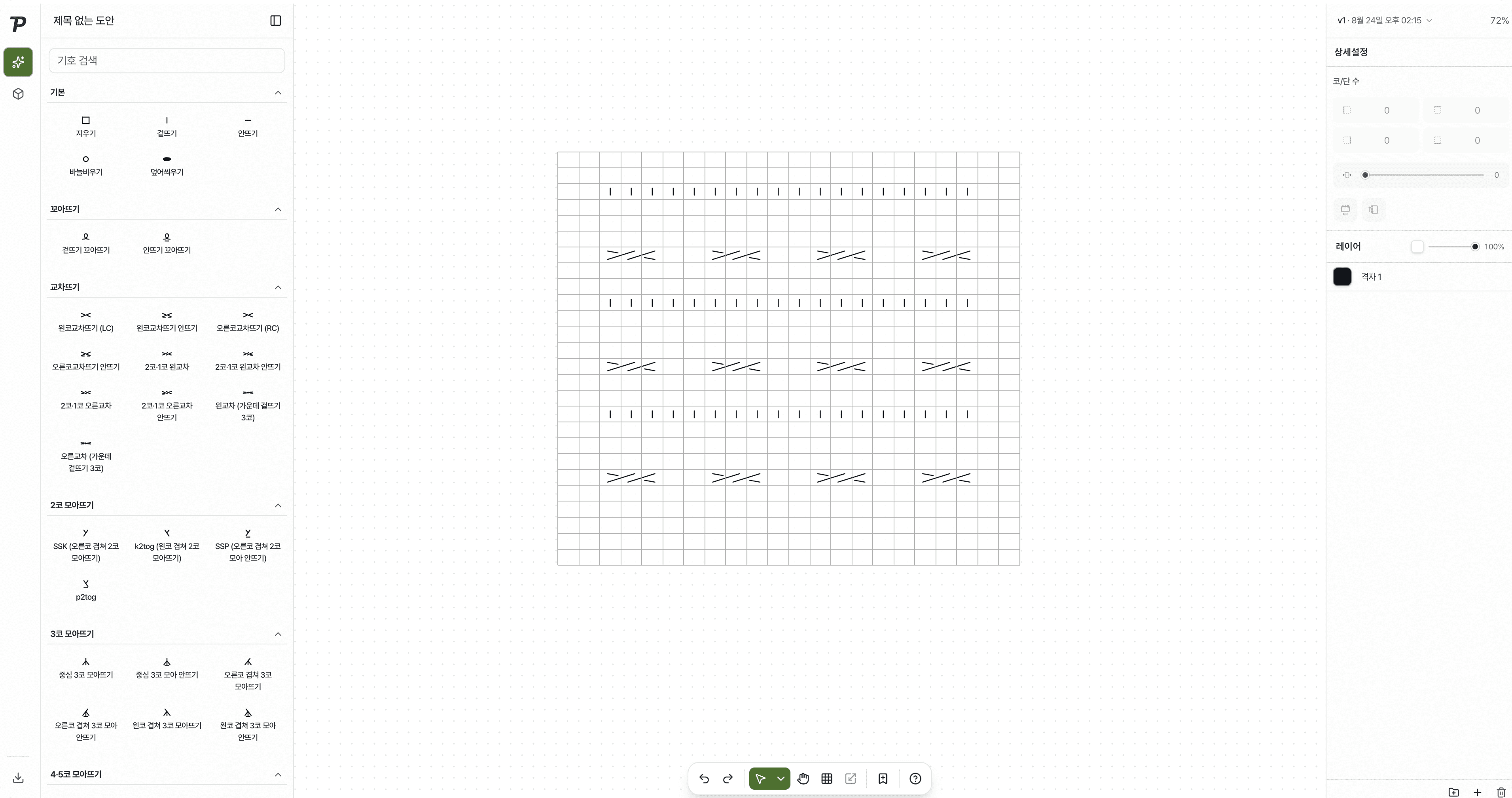
Until now, a knitting chart meant wrestling with a spreadsheet
“First, squaring up the cells”
You adjusted column widths and row heights to make a grid, then typed a symbol into every cell.
“No way to draw a cable”
A symbol across several cells meant merging cells and laying shapes on top.
“No way to know before knitting”
You only found out whether the pattern worked by knitting it.
Click a cell to fill it, and the chart turns into fabric
Pick a symbol and click cells to fill them.
Over 180 symbols, pick and fill
Knit and purl, cables, decreases and more, sorted by kind. Drag to copy a repeat.
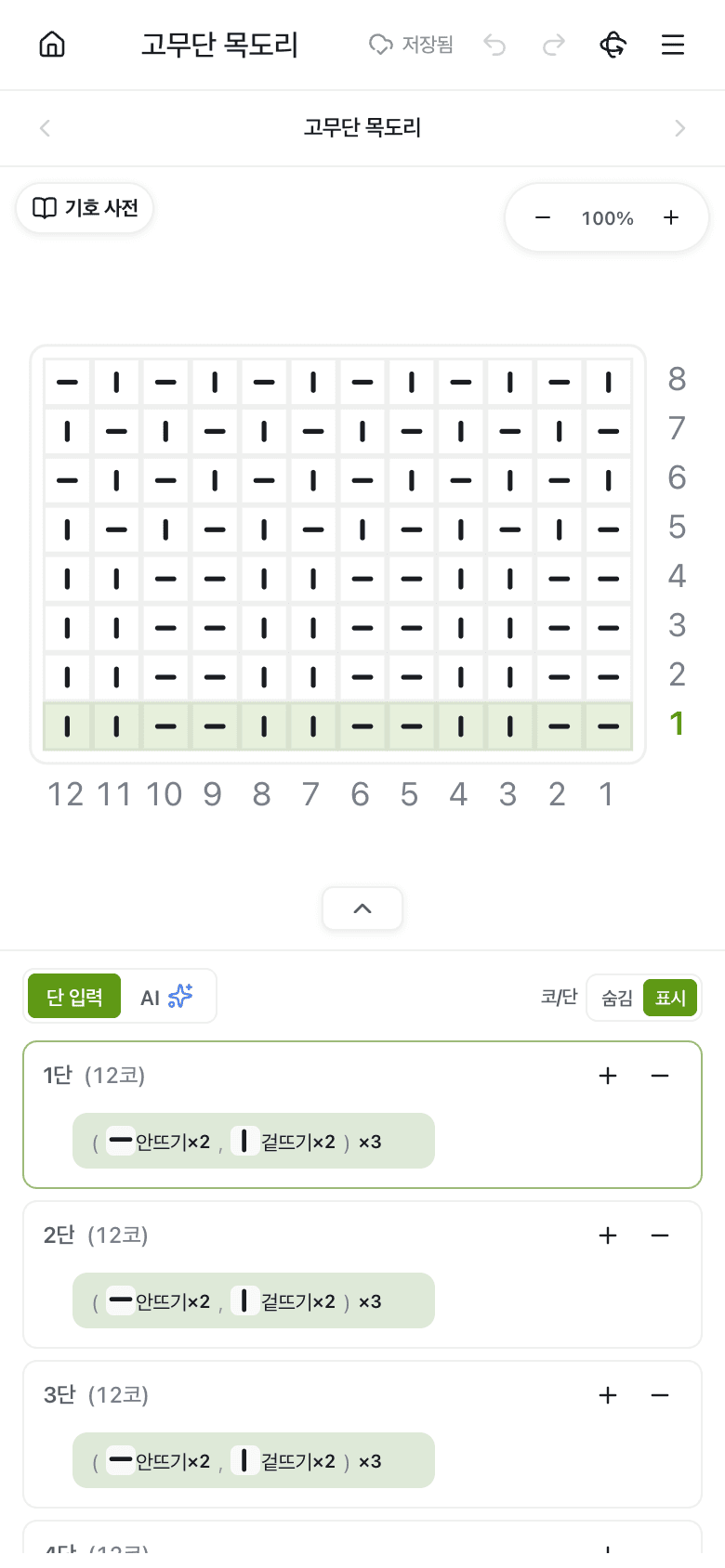
Type the rows and the chart draws itself
Write each row like “knit 2, purl 2” and the chart appears. It works on a phone too.
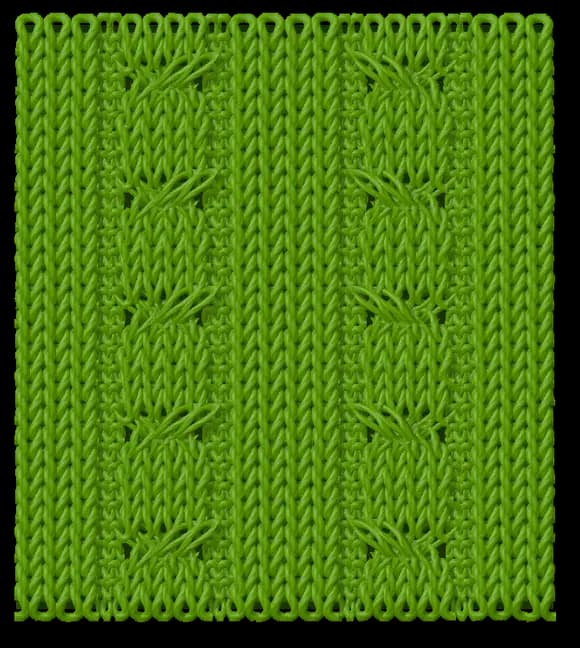
See the fabric before you knit
A window beside the chart shows the piece as knitted. Change the yarn color, and turn a piece knitted in the round to see every side.
Everything else a chart needs
Yarn colors
Set a yarn color per cell to mark colorwork sections.
Written pattern
As you draw, the rows are written out alongside the chart.
Import a written pattern
Paste a written pattern you already have and turn it into a chart.
AI assistant
Change the selected cells in words, using the row and stitch numbers shown on the chart.
Export
Save as JPG, PNG or an Illustrator (AI) file.
Share by link
Send one link, and the reader always sees the latest chart.
From now on, start your knitting patterns with Patterners
Sign up and use Pro features free during the open beta.