
Paper
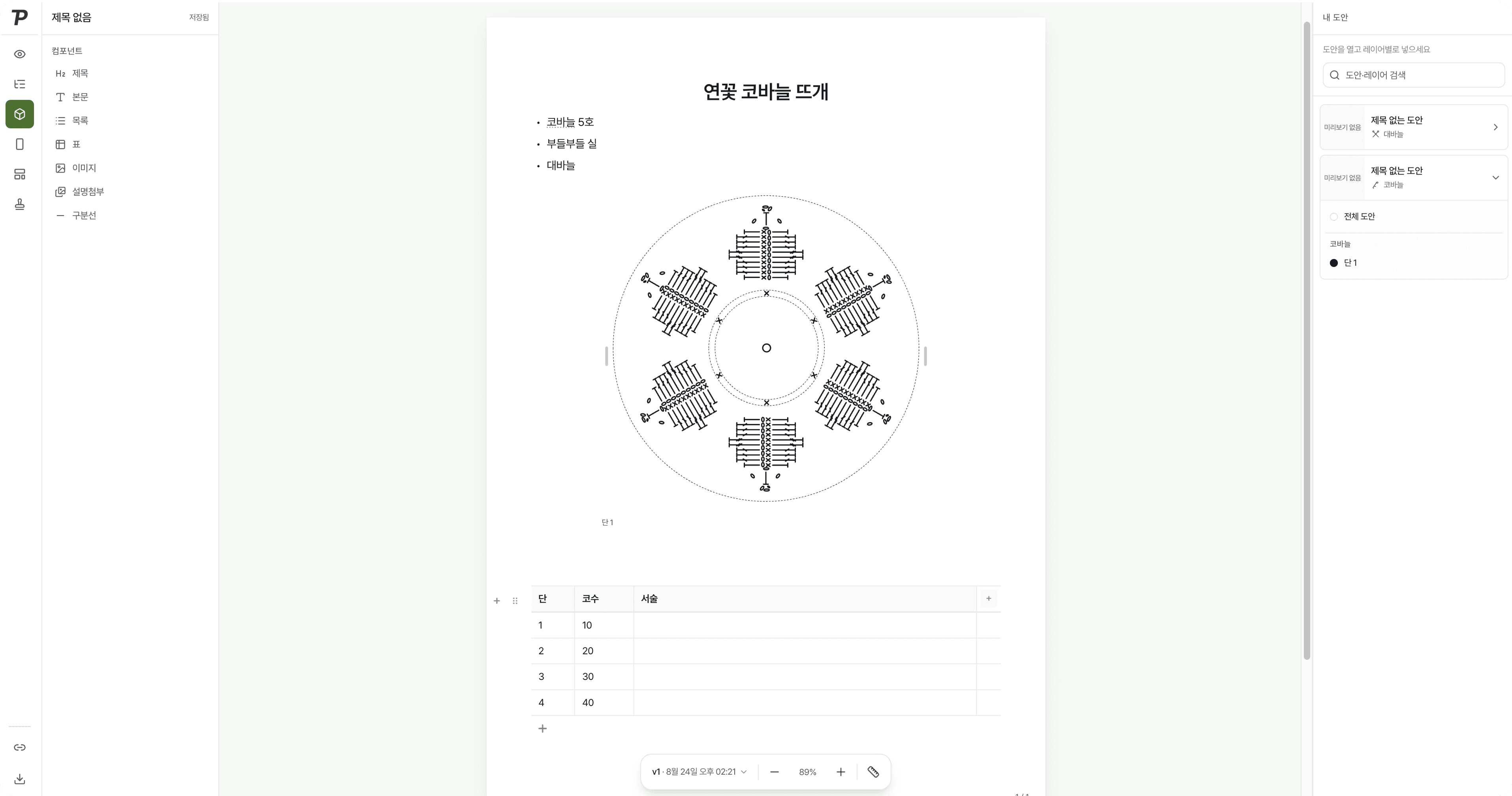
Your chart and its notes on one Paper
Drop in the chart you drew and add materials, gauge and notes for each row. Translate, share and save as PDF in the same place.
Pattern documents used to mean switching between programs
“I pasted in screenshots”
Charts were saved as images from one program, pasted into a document, and pasted again after every fix.
“I copied the written pattern by hand”
Stitch counts per row went into a table by hand, and every chart change meant fixing the numbers one by one.
“Each language was its own file”
Translations lived in separate files, and every fix had to be made in each one.
Pick a pattern and its chart drops right in
Stack headings, text, lists and tables as blocks
Pick a block on the left and it goes on the page. Lay out materials, gauge and row notes like any document.
Four languages with one button
Write a Paper in one language and turn it into Korean, English, Japanese and Spanish at once. Switch languages to check and polish.
Share a link, export a PDF
Turn sharing on and the link is copied. Readers always see the latest Paper, and it saves as PDF, JPG or PNG.
Everything a Paper needs
Page size and margins
A4 portrait or landscape, Letter, or your own size, with the margins you set.
Outline
Headings build an outline, so long Papers stay easy to move around.
Watermark
Tile a logo or name across the page, or set it behind, to protect your pattern.
Images and video
Add photos and videos of the finished piece beside your notes.
Keep charts current
Pattern changes made in the maker reach the Paper and its share link with one button.
Insights
See total views of a shared Paper and how they moved over the last 7 days.
Make your next pattern document a Patterners Paper
Sign up and use Pro features free during the open beta.